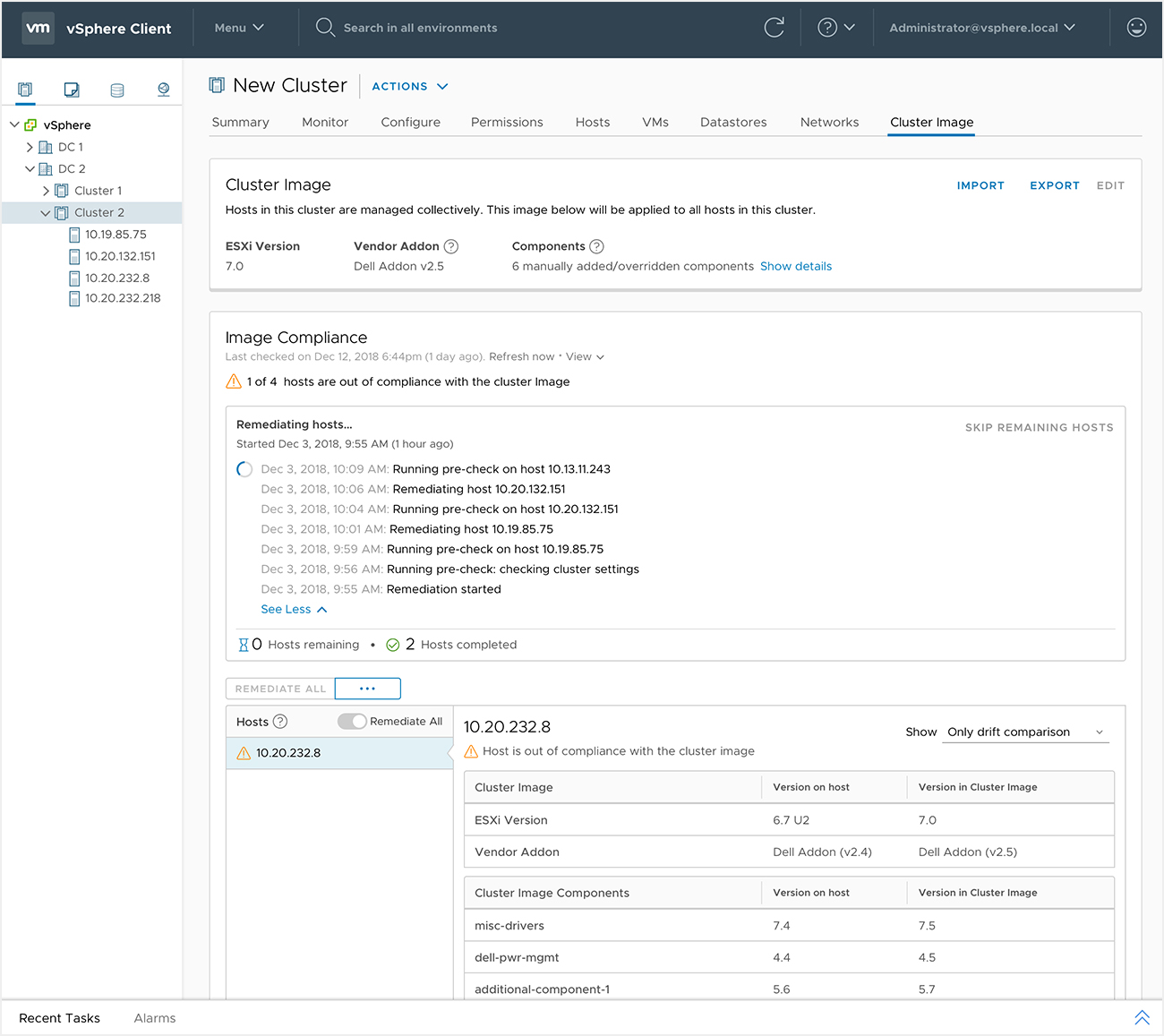
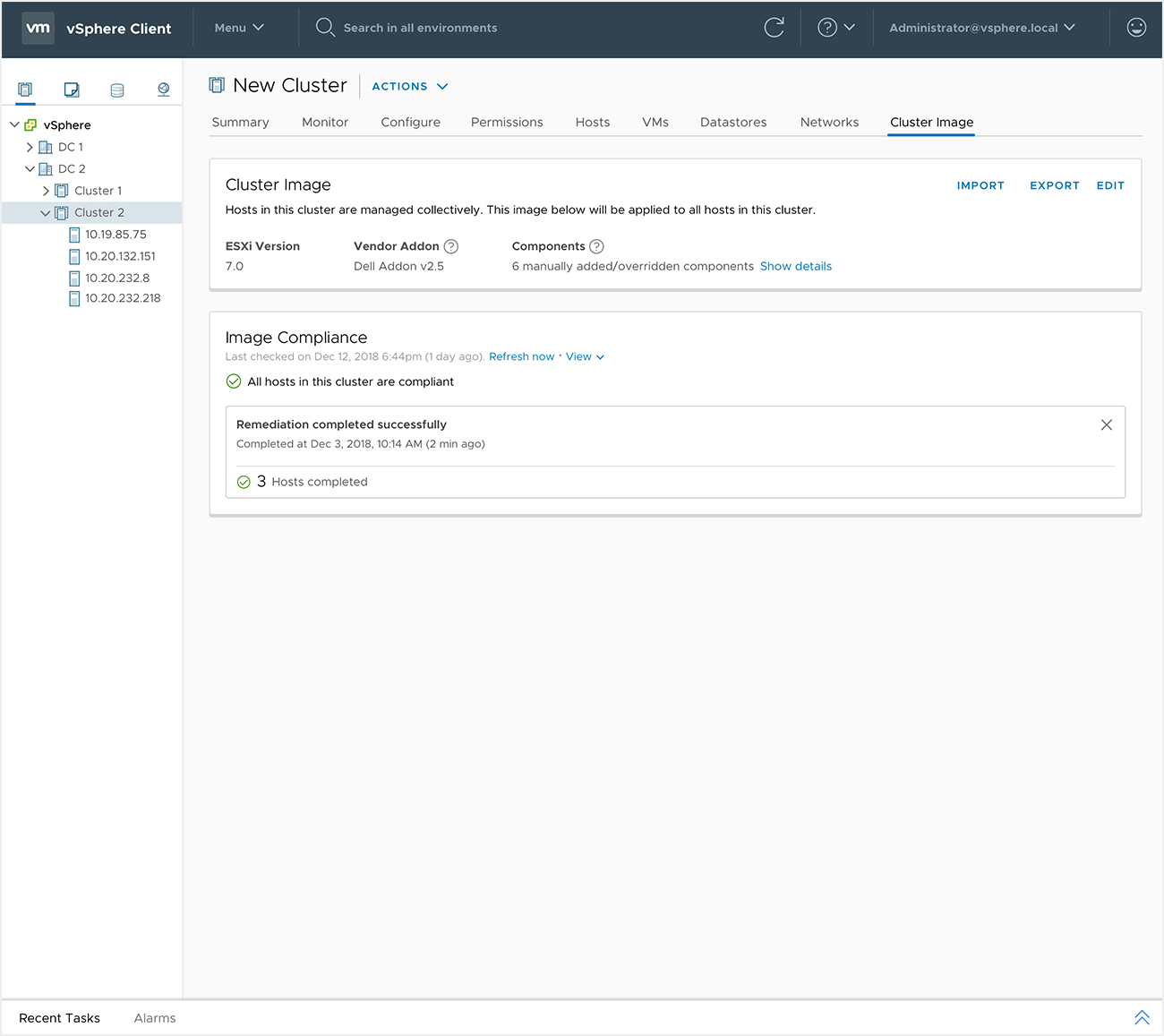
vSphere 7.0 Lifecycle Management
Simplified lifecycle management
vSimplified lifecycle management has been featured as one of the key capabilities of vSphere 7.0, VMware’s flagship product. I was the lead designer of this undertaking which consisted of three large projects vLCM, Update Planner and our legacy solution VUM. I led a team of 4 designers and worked with more than 50
cross functional stakeholders in order to deliver this project. My key goal was to:
Deliver a seamless Lifecycle Management solution that minimized the overhead and time to completion of an Upgrade.
My Work as the Design Lead:
- Introduce a completely revamped, integrated experience without replacing the legacy tool
- Build users trust in vSphere’s Lifecycle Management solution that enables them to fully automate lifecycle management
- Help users transition easily from an existing solution to a much more beneficial but different way of managing updates.
- Create an intuitive, seamless solution within the constraints of existing vSphere architecture
- Align different development teams, stakeholders as well as designers to ensure that their work appeared as a unified experience to the end users.
- Prioritize, estimate and plan UX for incremental improvements given stringent timelines
- Deliver research backed design vision and technically feasible solution
To witness how much VMware emphasized the ‘ease of use’ as the biggest attraction for Lifecycle Management, listen to the first one minute of this video!
Challenge
Time consuming and unreliable Lifecycle Management was the key reason preventing our customers from adopting the latest features vSphere was releasing. While most users were using vSphere Update Manager (VUM), they had to use multiple tools and it was taking too much of their time to keep up with vSphere’s releases. On the other hand our competitors were gaining in the market due to their much advertised ‘One Click Upgrades’. When I was brought into this project, independent development teams were trying to solve different aspects of lifecycle managements problem based on their specializations. I was brought in to define a user centric vision for vSphere’s lifecycle management and create a seamless incremental experience on top of what the technical teams were building. Not only did I deliver on these goals, but I also identified gaps in the previously defined epics that we had to fill in order to increase adoption.
Solution
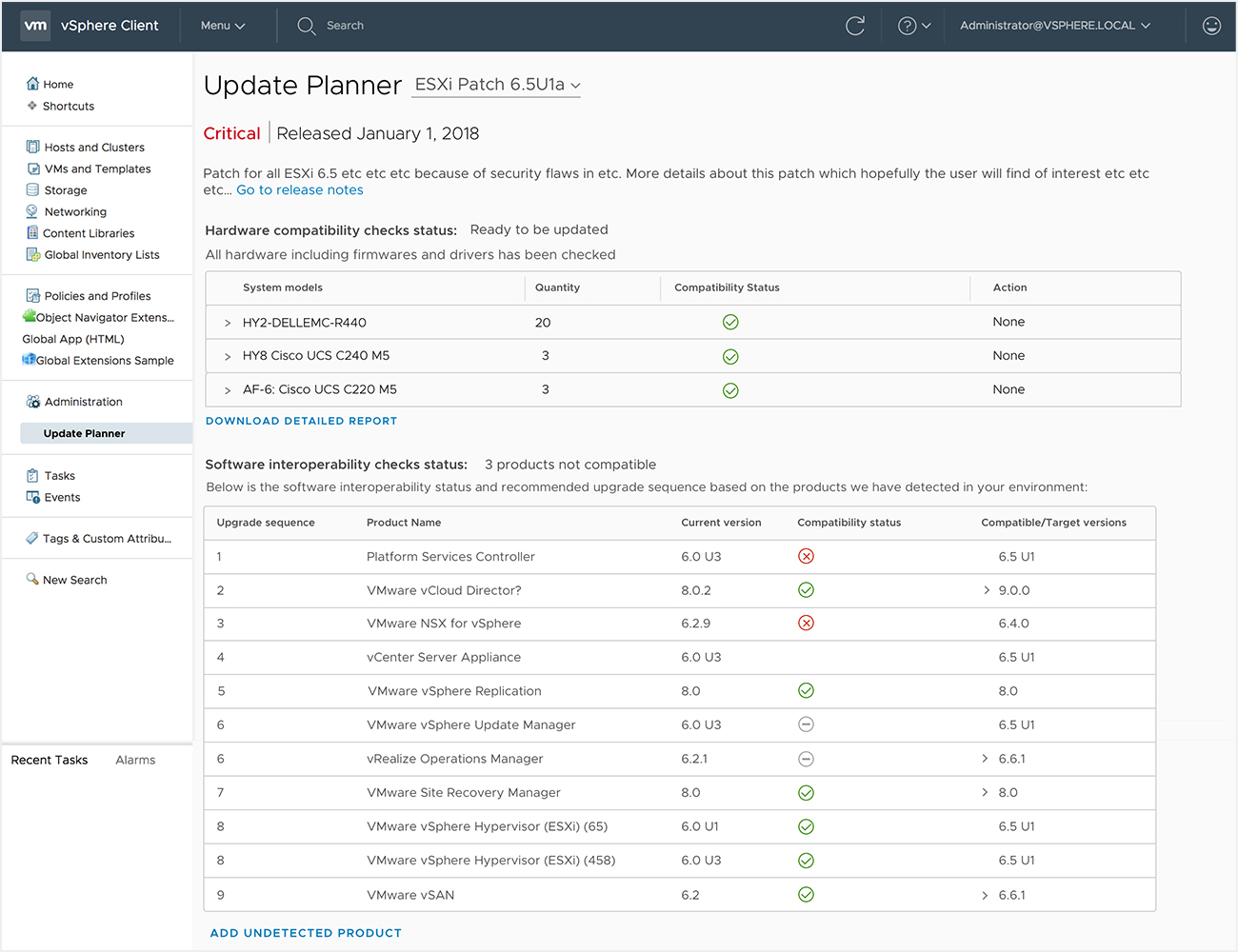
Created an ability for VI admins to assess a release, plan an update and apply it at scale across their environment of thousands of hosts successfully from within vSphere itself. This experience was released very recently and is expected to increase the frequency of customers upgrading their environment and reduce the planning time from weeks or months to a few hours at maximum. Below are a few blogger’s quotes reflecting the change this experience has brought.
Key Highlights
User and Market Research
A VI admin is responsible for managing and organization’s virtual infrastructure. They are responsible for ensuring that all the organization’s applications have enough compute, storage and network resources. It is their responsibility to keep the applications running and the data backed up. Initial research indicated that VI admins spent weeks and months planning and executing upgrades. They had to jump between multiple tools to figure our whether a release was even applicable to them and to make sure it wouldn’t break their environment. While vSphere’s lifecycle experience was tedious our smaller competitors were advertising ‘One Click Upgrades’ as a highlight of their solution. This was soon becoming a challenge for our business.
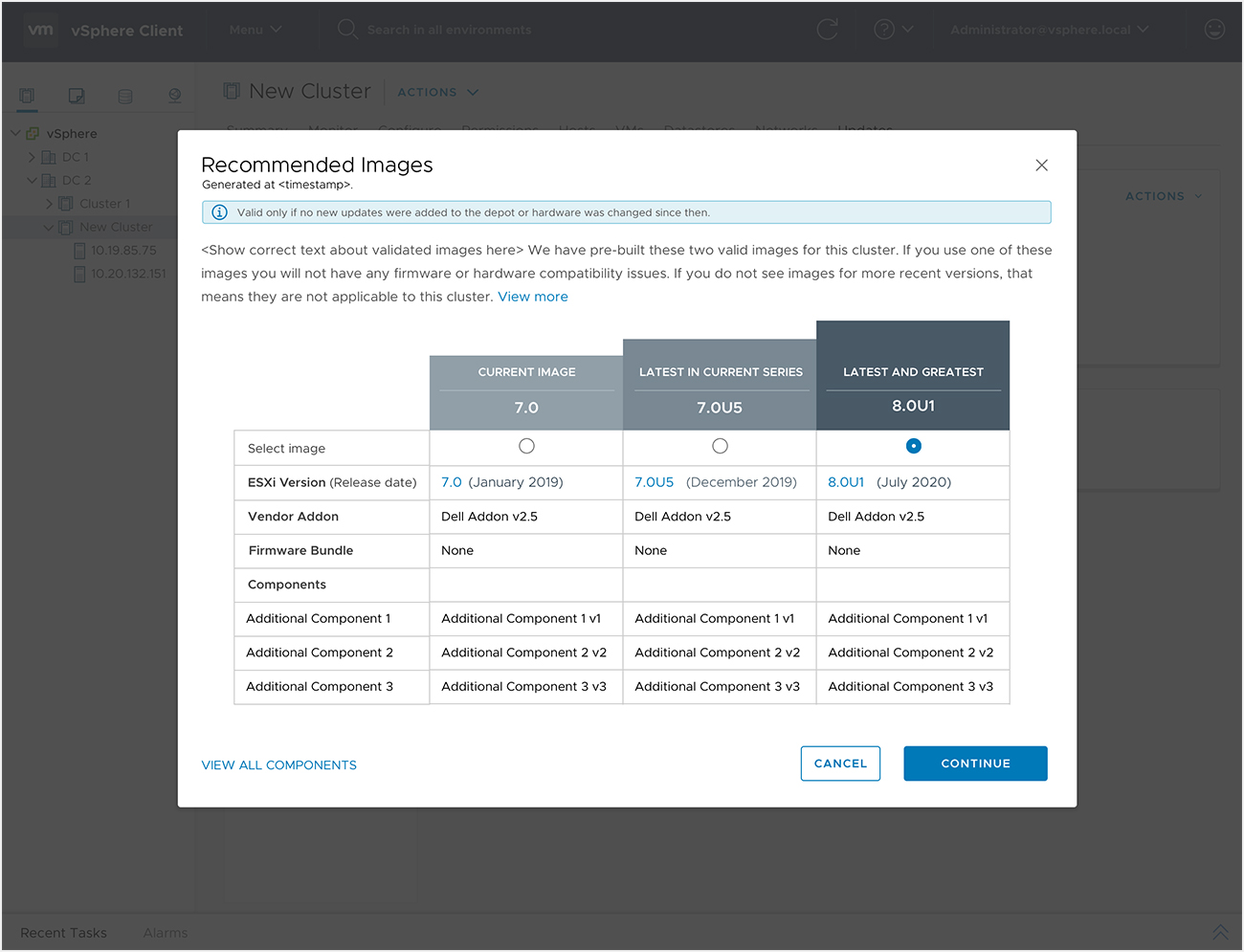
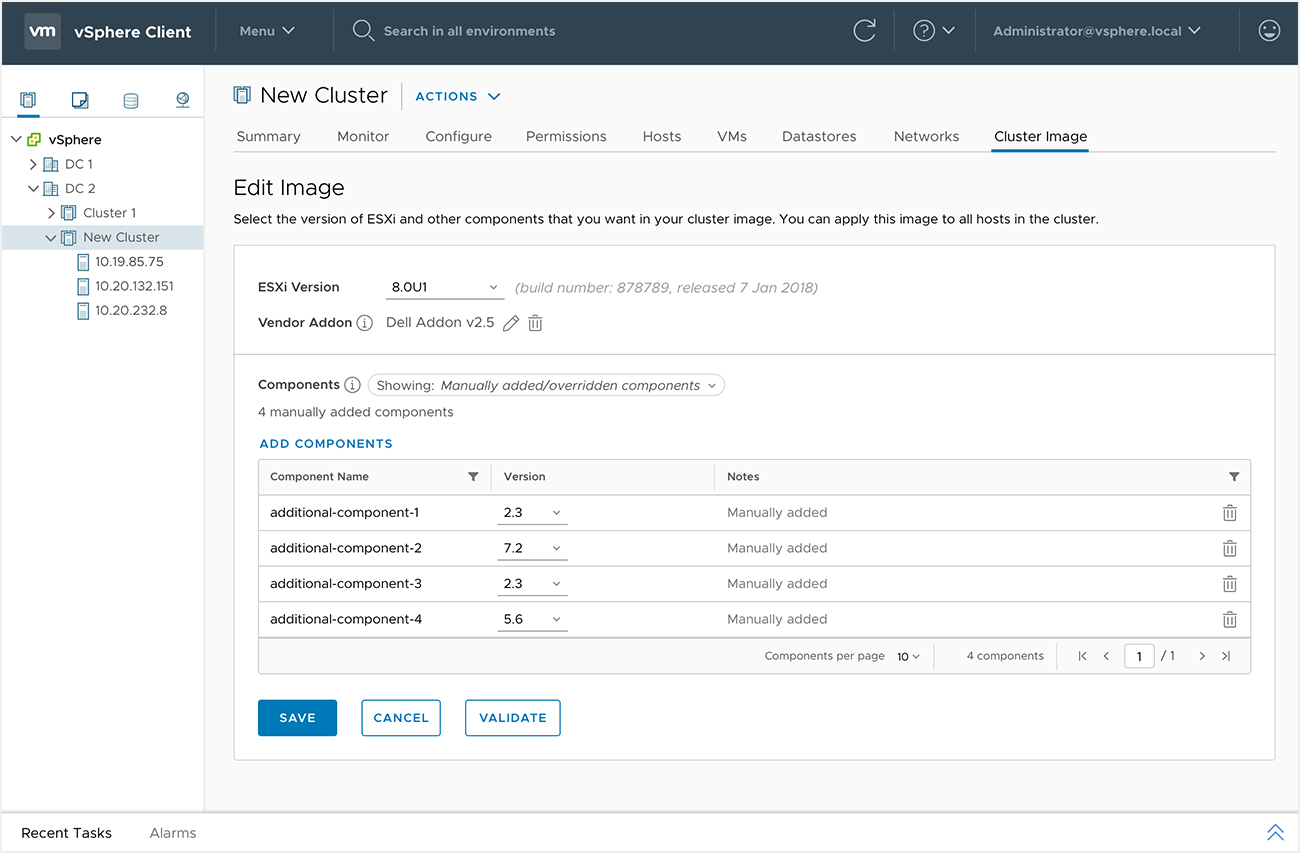
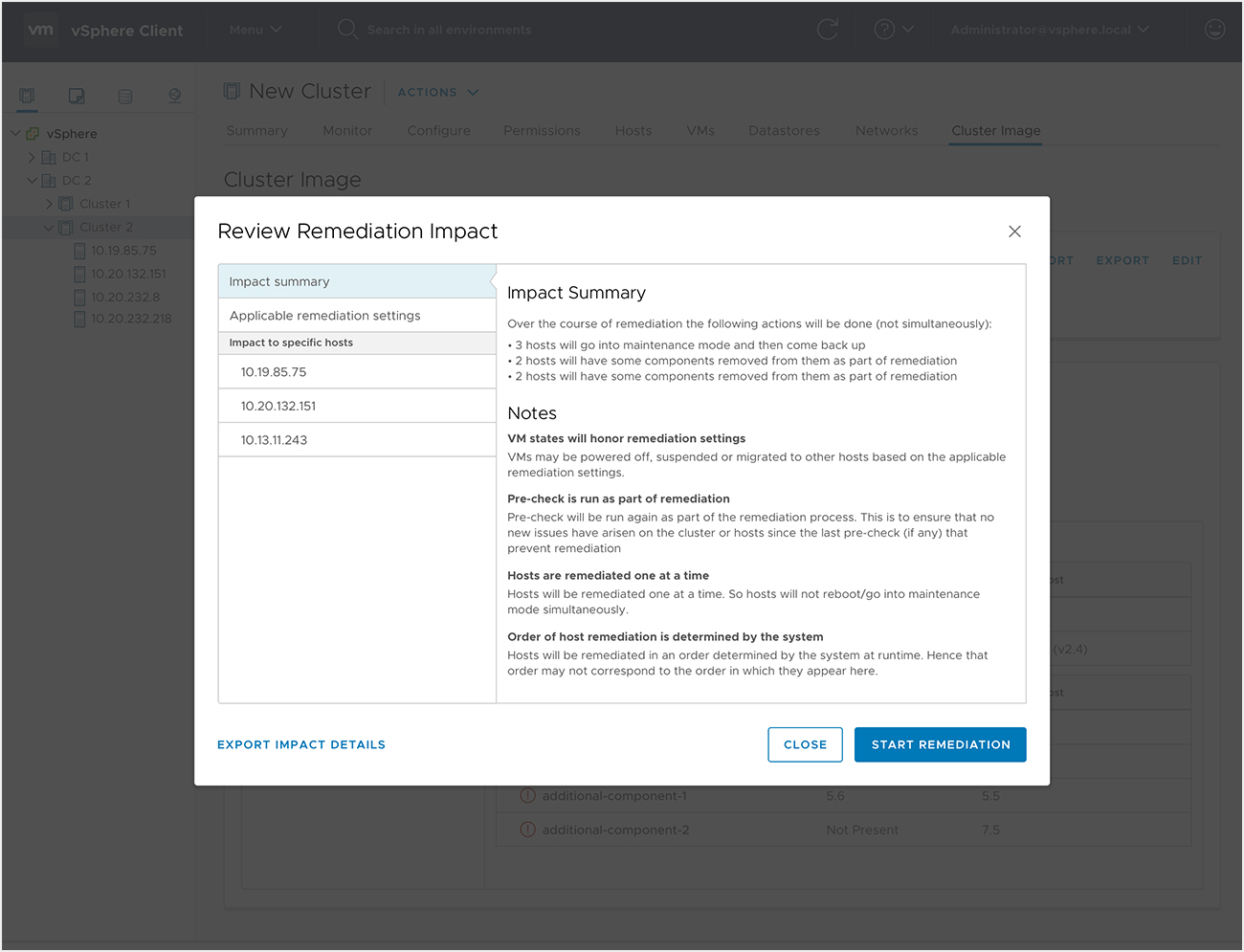
So, I started out with the hypothesis of ‘One Click Upgrades’ as our design vision. However, research soon indicated that upgrades was a non-trivial event for majority our end users. Their environments were a much more complex than our competitors supported and they did not want to lose control by relying on ‘One Click Upgrades’. This made it clear that we would need to build our users trust first before getting to our vision. So, I led my team to deliver an experience where vSphere would provide recommended upgrade path for user environments, but users would be able to modify and pre-check them prior to execution. This enabled our aggressive users to gain the one click upgrade experience and yet allowed our more conservative users to leverage the latest features but still be in control of the upgrades.
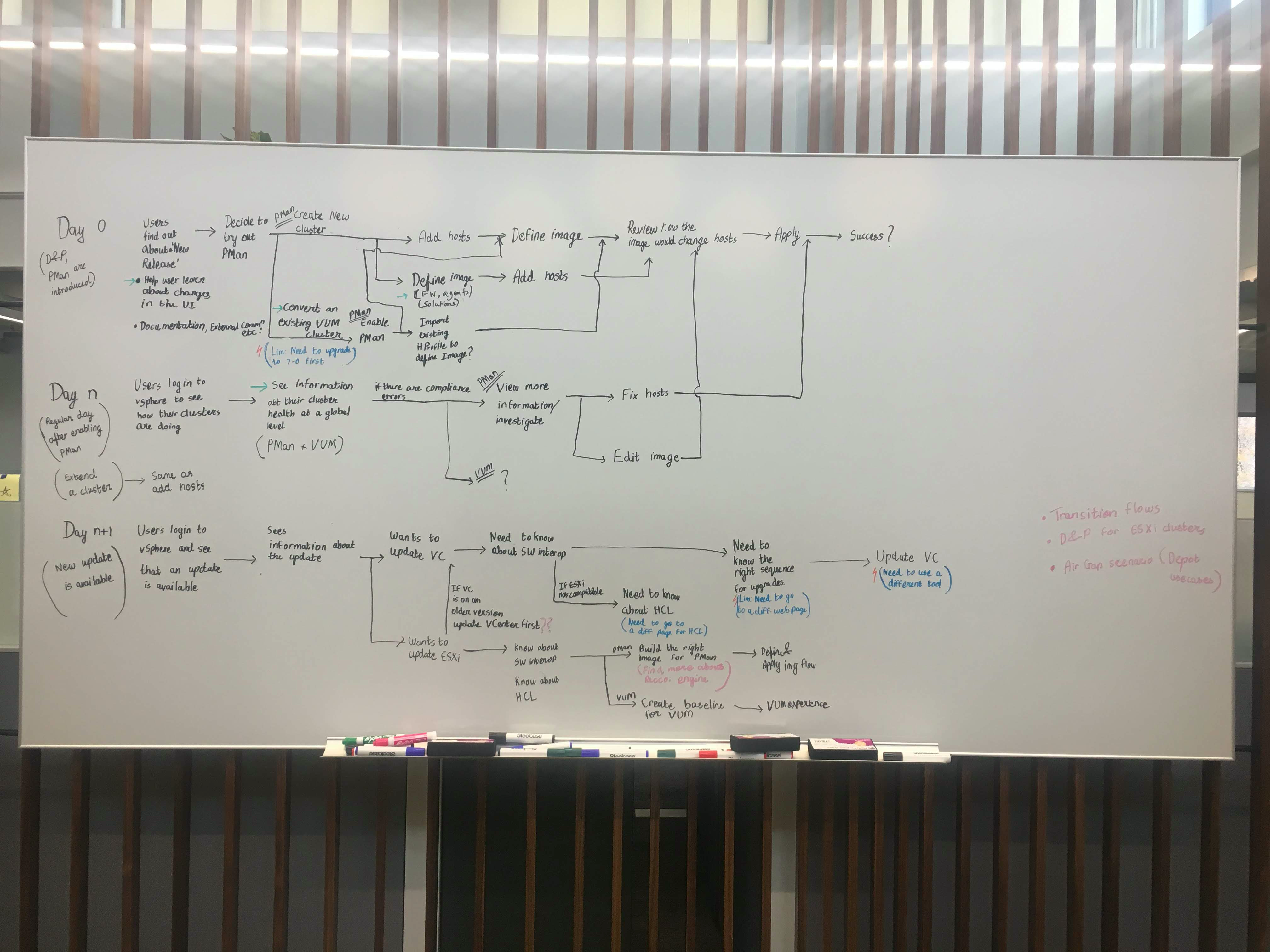
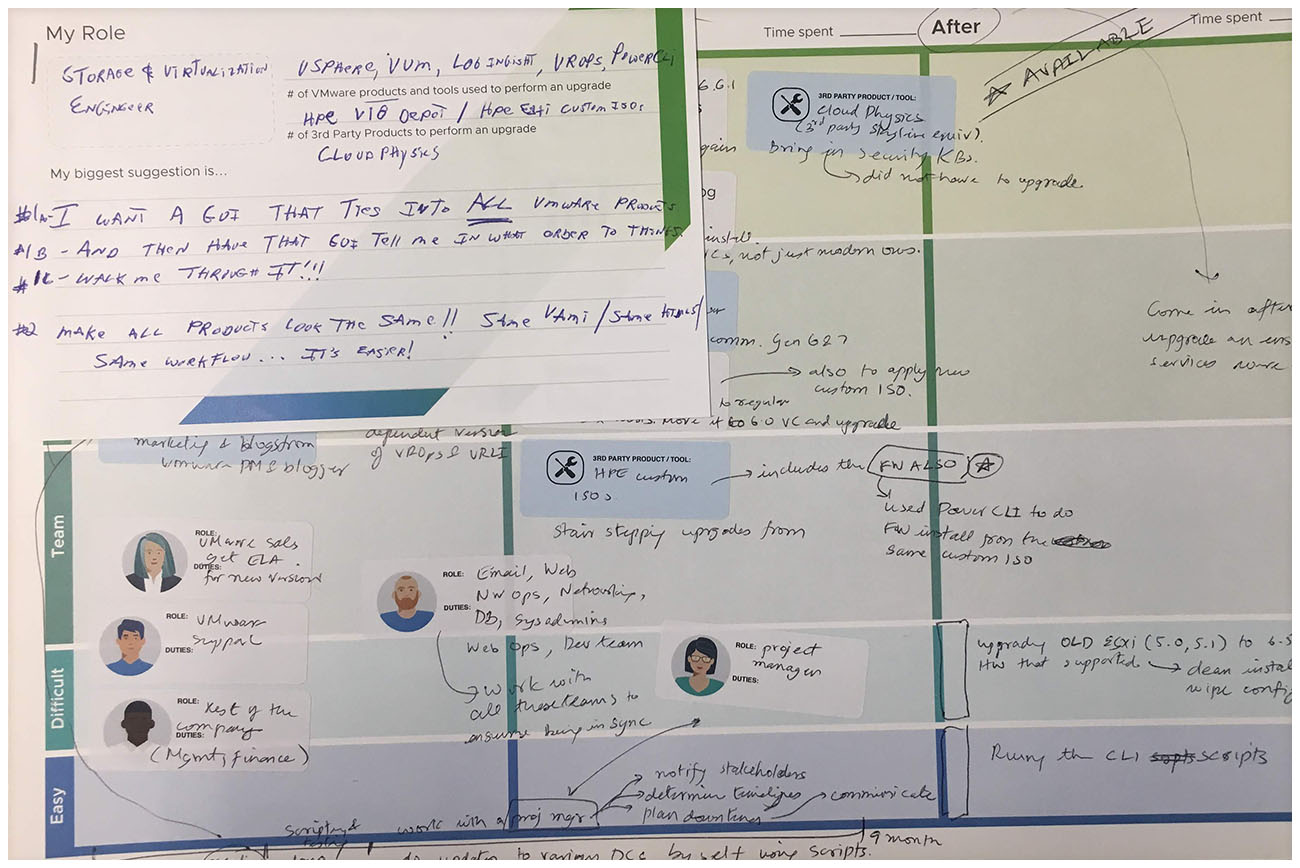
Journey Mapping
Project Alignment
When I took on as a design lead, I discovered that there were multiple disconnected teams working on separate projects which were all geared towards solving lifecycle management problems. These projects had evolved over time and there had been a lot of changes in terms of requirements and key people working on it. The project alignment exercise provided clarity to our executive sponsor and VP on how all the projects had evolved and why the efforts should come together.
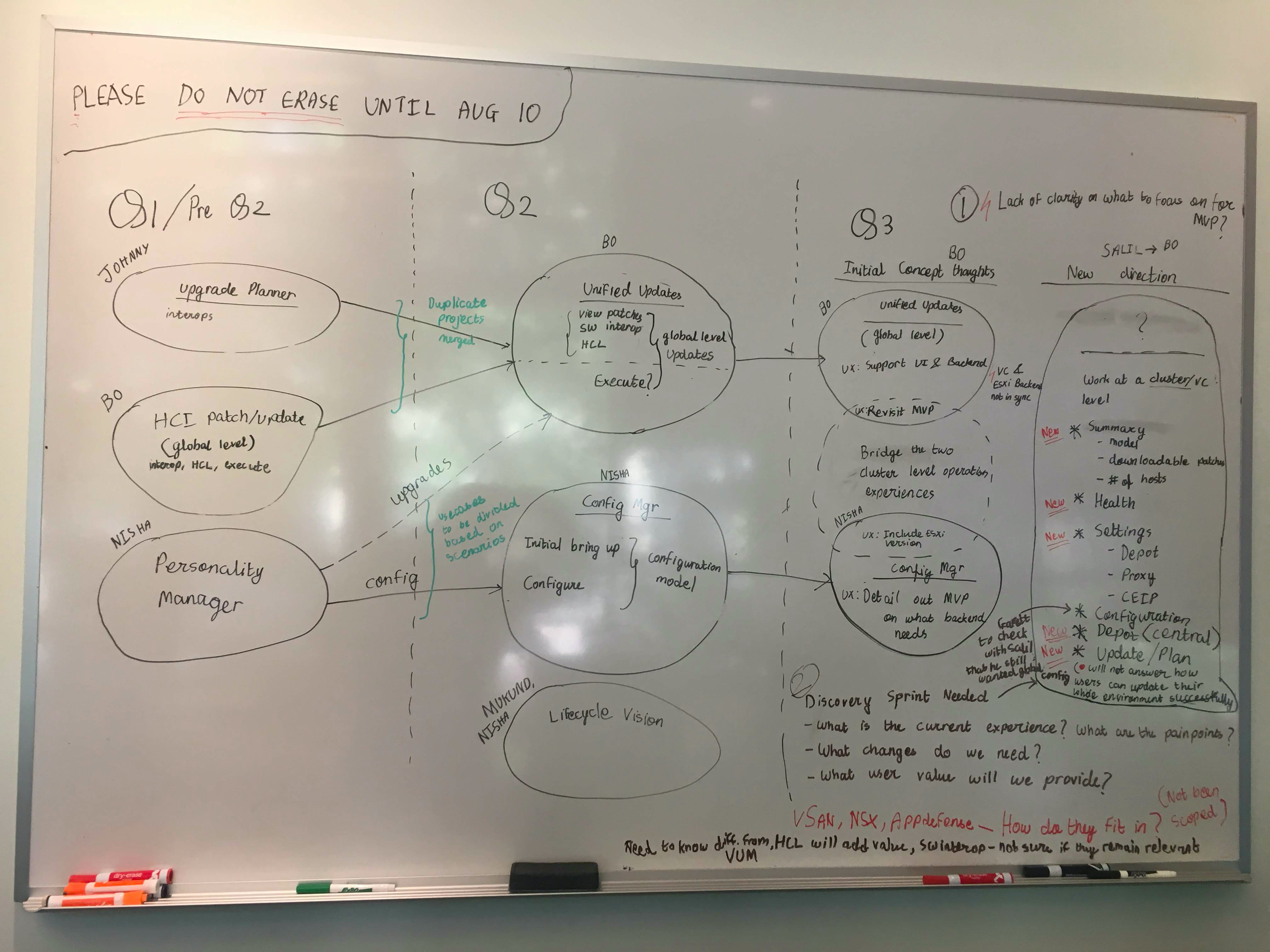
Working on the journey mapping and project alignment helped generate an understanding of the significant UX work involved and contributed to get funding to expand our Lifecycle UX team.
Fostered Collaboration on Lifecycle Design team
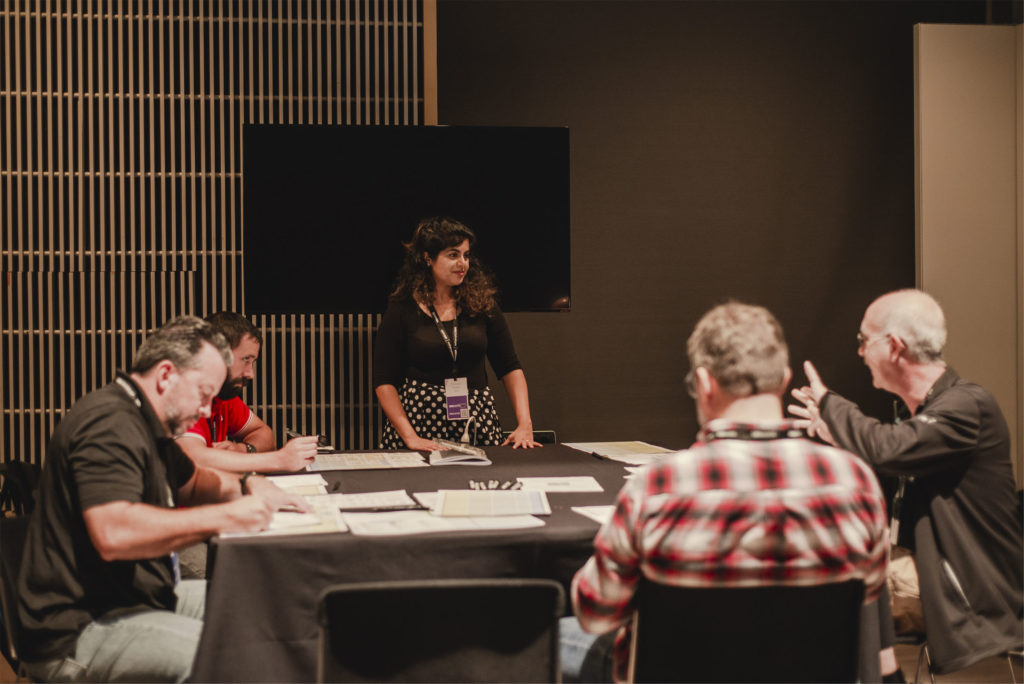
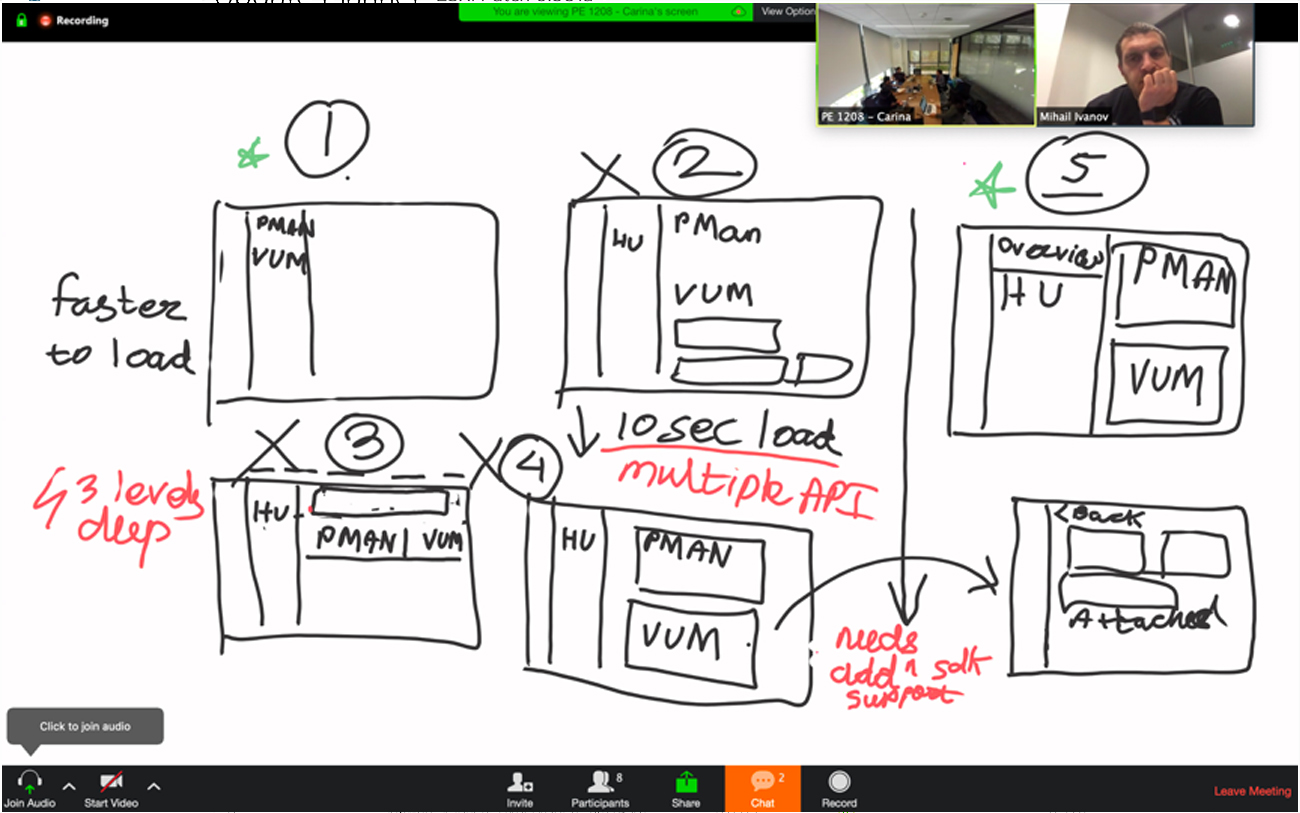
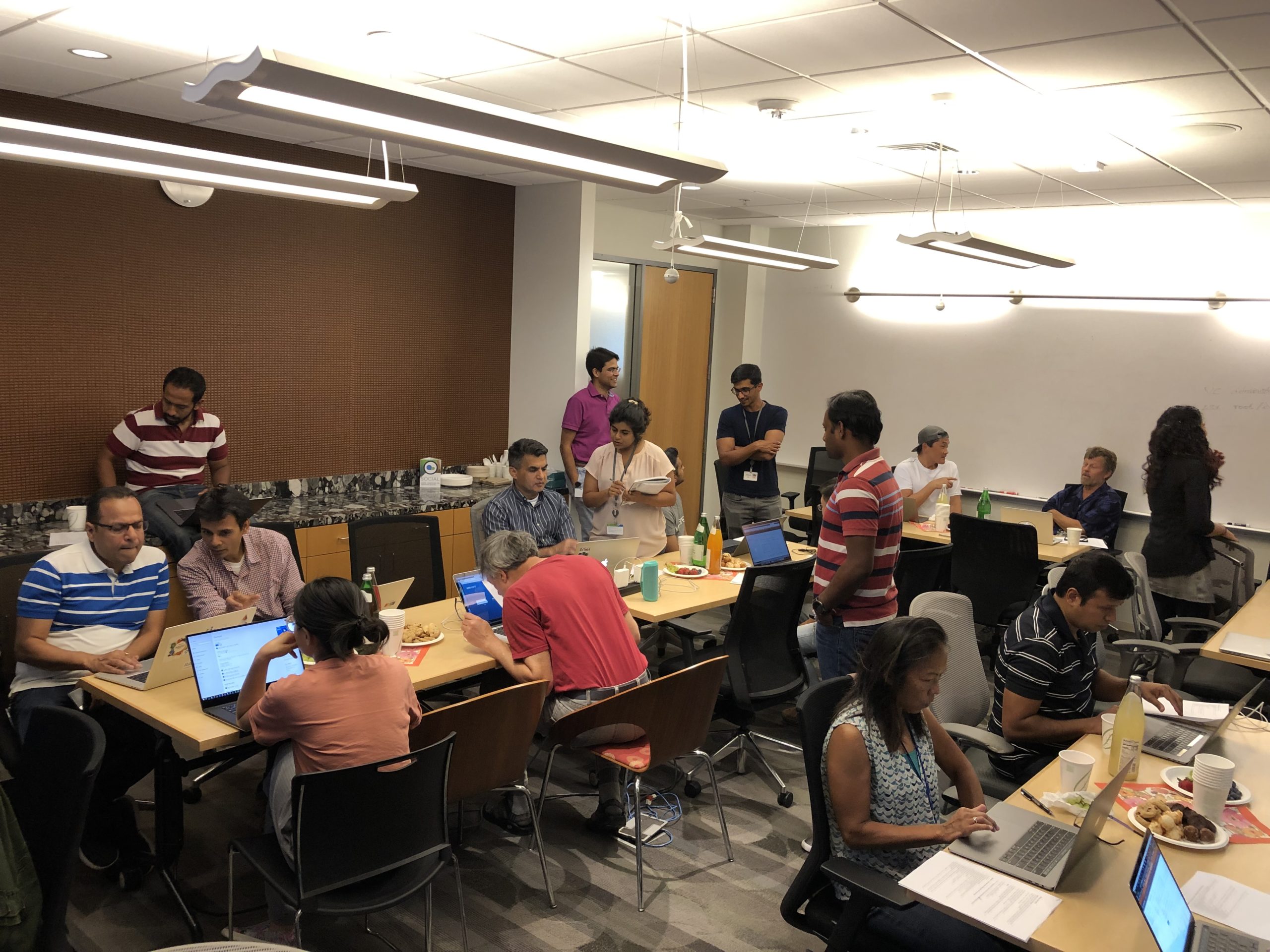
I involved a globally distributed cross functional team in our design process and we were meeting in smaller groups. This was causing confusion and cross functional teams were going in a spirals without reaching conclusions. To resolve this, I started hosting design workshops to kick off any new epic. This fostered collaboration and got every one vested in solving the user’s problems. We ended up making quicker decisions and prioritizing some work which was critical from a user experience standpoint. Since, the process was new to the designers on my team, I led by example and also coached them on how to host such meetings.
Extensive Research and Testing
My team and I ran multiple feedback sessions with end users, early adopters and internal customers to improve the design solution and make it intuitive. The QA team used to host ‘dog fooding’ sessions with internal users and engineers to test workflows. I worked with the QA Director to change the format of this session and run it like a user test. This not only helped in identifying usability issues but also built empathy amongst engineers for the need for good UX.
Design Deliverables